
Produkts
How to choose the right SSL option
Extended Validation SSL for verified business identity
Extended Validation SSL is designed for organizations that need the strongest certificate-level identity verification. Before issue, the certificate authority checks domain control, legal company details and the right to request the certificate on behalf of the organization.
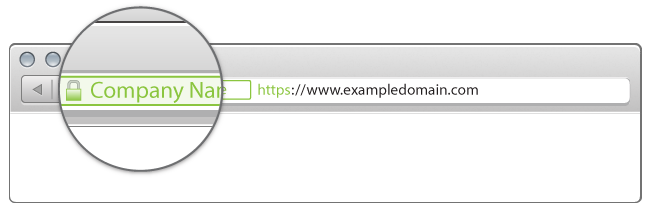
Modern browsers no longer show the old green address bar in the same way, but EV SSL still provides a high-assurance certificate profile. It is useful for financial services, regulated businesses, public-facing customer portals, online services and brands where visitors need clear assurance that they are connecting to the right organization.
What EV SSL helps with
- Stronger organization identity validation than standard SSL options.
- HTTPS encryption for sensitive sessions, forms and account areas.
- Higher-assurance certificate information that users and security teams can inspect.
- Clearer trust posture for brands handling important customer data.
Ordering process
EV validation takes longer than Domain Validation or Business SSL because company records and authorization must be checked. GARMTECH can help you prepare the certificate order, confirm the expected validation steps and install the certificate after issue.
How to choose the right SSL option
Choose a standard Domain Validation certificate when you need quick HTTPS protection for one domain. Choose Wildcard SSL when the same project uses several subdomains. Choose Business SSL when customers should be able to verify your organization details in the certificate. Choose EV SSL when the strongest available business identity check is important for your risk profile or compliance expectations.
Before ordering, check whether the certificate must cover the root domain, the www version, subdomains, or several separate hostnames. Also confirm where the certificate will be installed: shared hosting, VPS, a load balancer, a mail gateway, or another web service. These details affect the certificate type and installation method.
HTTPS migration checklist
- Install the certificate and test the HTTPS version of the site.
- Redirect HTTP traffic to HTTPS after the certificate is working.
- Update internal links, forms, analytics tags and canonical URLs if needed.
- Check for mixed content from old image, script or stylesheet URLs.
- Plan renewal before expiry so visitors do not see browser warnings.