
Products
How to choose the right SSL option
Wildcard SSL certificates for domains with many subdomains
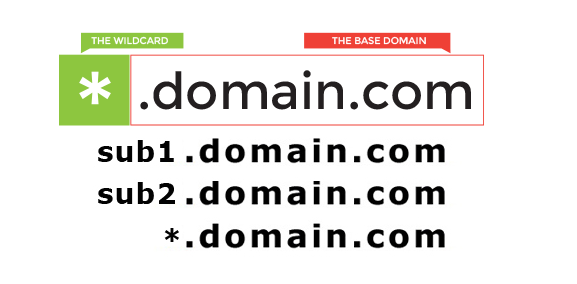
A Wildcard SSL certificate secures one domain and all first-level subdomains under it, such as example.com, shop.example.com, billing.example.com and support.example.com. This is useful when your website, client portal, API, test environment or mail-related services run on separate subdomains.
Instead of buying and renewing separate certificates for every subdomain, one Wildcard SSL certificate gives your team a simpler HTTPS setup. It can be installed on multiple compatible servers when your infrastructure uses the same domain across hosting, VPS or application environments.
When Wildcard SSL is the right choice
- You run several public subdomains under the same domain name.
- You expect to add new subdomains during development or marketing campaigns.
- You want one renewal cycle instead of many separate certificate dates.
- Your team manages hosting, mail, applications or client portals under one brand domain.
Setup and support
GARMTECH can help with certificate selection, DNS or email validation, installation guidance and renewal planning. If you only need HTTPS for one domain, a standard Domain Validation SSL certificate may be enough. If customers need to verify your company identity, Business SSL or EV SSL is a better fit.
How to choose the right SSL option
Choose a standard Domain Validation certificate when you need quick HTTPS protection for one domain. Choose Wildcard SSL when the same project uses several subdomains. Choose Business SSL when customers should be able to verify your organization details in the certificate. Choose EV SSL when the strongest available business identity check is important for your risk profile or compliance expectations.
Before ordering, check whether the certificate must cover the root domain, the www version, subdomains, or several separate hostnames. Also confirm where the certificate will be installed: shared hosting, VPS, a load balancer, a mail gateway, or another web service. These details affect the certificate type and installation method.
HTTPS migration checklist
- Install the certificate and test the HTTPS version of the site.
- Redirect HTTP traffic to HTTPS after the certificate is working.
- Update internal links, forms, analytics tags and canonical URLs if needed.
- Check for mixed content from old image, script or stylesheet URLs.
- Plan renewal before expiry so visitors do not see browser warnings.